
















Game engines & interactive simulationPublic field guide
Dolphin: a guide to the game and simulation engine
Dolphin is a game and simulation engine with an integrated creation studio. It connects world editing, rendering, modeling, and shared simulation building blocks. For a creative or engineering team, its attraction is the ability to study and change the engine alongside the experience being built.
Start with a practical evaluation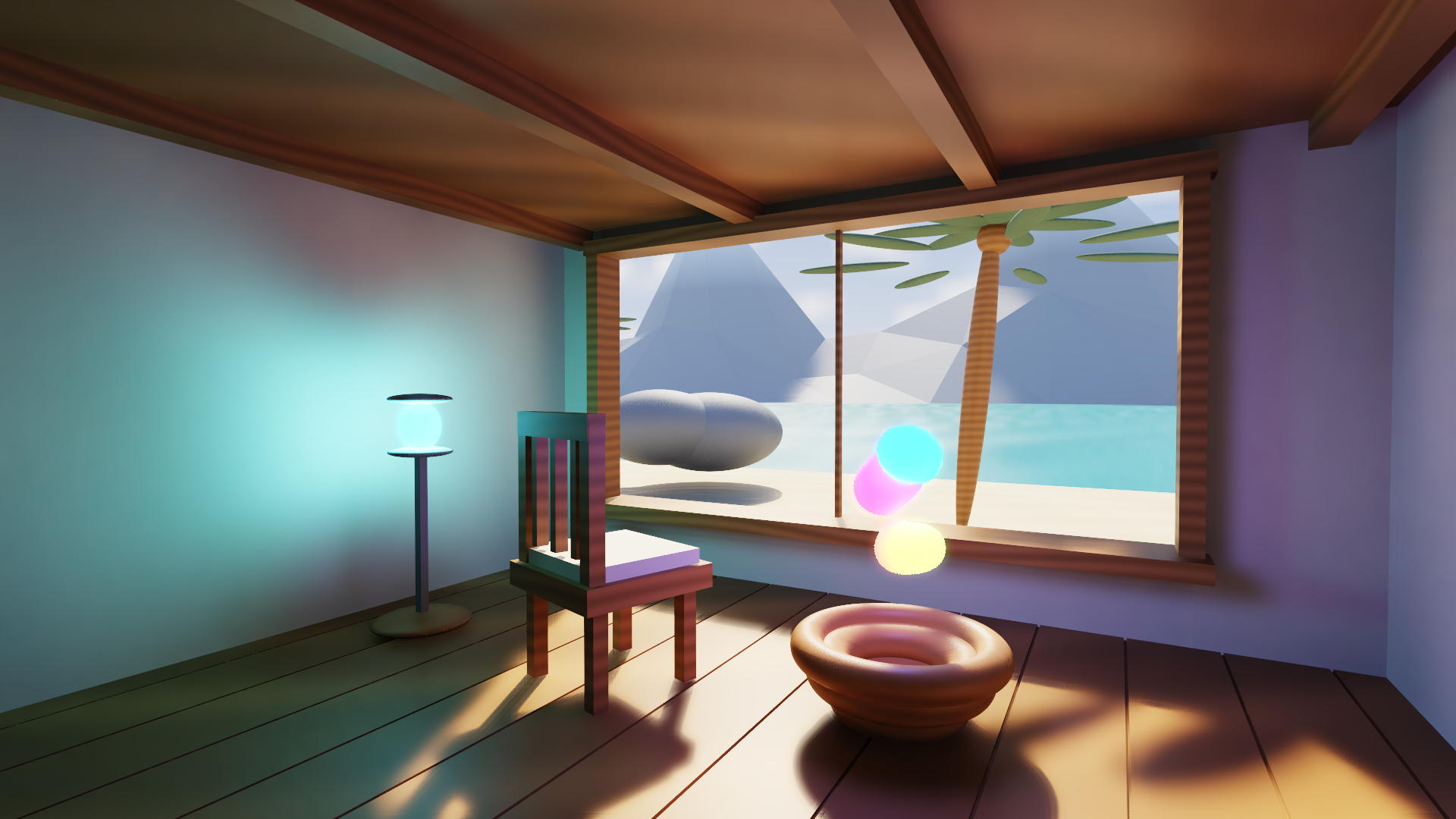
The useful starting point
What Dolphin gives your team
A scene can become a practical experiment in rendering, authoring, or simulation, with source access to the underlying systems as well as the application.
Game studios, simulation developers, visualization teams, and researchers who need to inspect the engine beneath an interactive world.
- 01
Author a scene
Arrange the world, models, materials, and cameras in Studio.
- 02
Exercise one system
Change lighting, movement, terrain, or a bounded model operation.
- 03
Inspect the result
Follow the rendered or simulated behavior to its owning source.
A studio that exposes the engine
Dolphin's native Studio brings several views of the same work together. Envision is its mesh-editing view, with bounded extrusion, subdivision, UV, rig, and keyframe operations. Sandbox explores generated terrain and separate interior-material experiments. These surfaces make the engine easier to question while creating with it.
The cabin images on this site are actual native Windows CPU-reference still exports. Their lighting and material appearance demonstrate that rendering path. Interactive GPU behavior, another operating system, and a packaged game each need their own evidence.
Find the smallest useful engine boundary
An engine evaluation does not have to begin with a whole game. A team could study camera projection, mesh authoring, a material preview, or a fixed-step simulation. Dolphin also supplies narrower packages used by other lab projects, so an evaluation can focus on the component that matters.
Keep the real workload small enough to inspect. A scene that saves, reloads, responds to input, and closes cleanly is more useful than a large showcase whose failure you cannot locate. Advanced professional tooling and broader world composition remain separate development work.
Current public evidence
Working Studio + engine
Envision is now Dolphin’s ninth native view: face extrusion, subdivision, UV projection, a two-bone rig, keyframes, save/load and undo. A live local Codex request produced a validated preview; Meshy adapters await a configured account key. Sandbox generates ridged coastal terrain and separately inspects convex-mesh interiors with layered material bounds and cuttable bonds. Windows CPU-reference model, file and native docking checks pass. Earlier Mac Metal evidence remains separate. Full professional tooling, sparse terrain streaming and world-space UI composition remain in development. Bubble Matter, Dolphin’s new engine style, turns real models into packed matter with no hand work: on twenty photo-real models lit on an RTX 4070, its light was faster on 17 of the 18 the old light drew correctly, up to 13.9×, with about 14 to 65% less GPU memory. Its .bm file packs 27 showcase models from 346 MB to 12.5 MB, 27.6× smaller, and reads them back bit for bit. A hot blade cuts any converted model with clean flat faces, and ground made from a density field holds caves, an overhang, a quake and a volcano; the quake and lava motion is scripted, not yet simulated.
Explore the project and its evidenceTry one bounded question
Change one scene and recover it
A suggested evaluation for your team.
- Choose the documented scene and target platform for the release being evaluated.
- Change a camera, a light, and one authored object; record each change.
- Save, close, and reopen the scene, then compare the recovered state.
- Measure the selected rendering path with the same resolution and scene settings.
- Test invalid input and closing during activity, then inspect the reported failure.
A small interactive or rendered scene whose appearance, saved state, and lifecycle your team can reproduce. Keep offline rendering and interactive performance results separate.
Before you go further
Common questions about Dolphin
Is Dolphin a complete production game engine?
It has working engine and Studio slices, with substantial tooling still in development. Evaluate the specific release against your game's authoring, platform, packaging, and runtime requirements.
Can I learn from a complete public example?
Yes. The Yeho marketplace includes small, complete examples involving Dolphin-related creation work. Follow the example's own instructions and license; a public sample does not grant the private engine repository's rights.
Does Envision require a separate project?
Envision is now part of Dolphin's native Studio. Historical source identities can remain in older releases, so check the exact archive when studying a particular checkpoint.
From an idea to your first evaluation
Build on what you understand.
Start with Dolphin's public evidence. If it fits your team's problem, compare source memberships or tell us what you would like to evaluate.
These guides are free to read. Private source releases follow the membership license. Compare plans and team seats.