















Private product showcase / Tested Windows scaffold
Squidly
The quiet second brain beside every high-stakes conversation.
A second screen that helps during live conversations
Why this changes the game
Three reasons to care.
Hear the conversation, read the screen, and find the right reference at once.
Keep the help private on a phone or second screen while you stay present.
Switch between coding, conversation, local, and cloud brains without changing flow.
Proof today
The current machine, without mythology.
The Windows stack includes WASAPI mic/render capture, OCR, local speech routes, approved-folder retrieval, token-gated local HTTP/WebSocket second-screen delivery, model routing, and retained utterance evidence. A rebuilt direct-streaming harness reached zero word error on its known reproduction; real microphones and unscripted conversations still need human judging.
During an interview, support call, coding session, or hard conversation, the useful fact usually arrives after the moment has passed.
Squidly combines live audio, screenshots and OCR, approved folders, retrieval, and separate advisor lanes, then sends quiet help to a local phone or second screen with traceable session artifacts.
The connected stack
Nothing powerful lives alone.
Public Academy
Learn Squidly from the inside.
Every public guide, field lesson, and architecture map for this system is gathered here. No membership is required to study these rooms.
Squidly: a second-screen assistant for practice and support
Understand Squidly's Windows audio, OCR, reference retrieval, and second-screen coaching scaffold. Evaluate transcript quality, useful guidance, and source attribution.
Open in the Academy ↗02 / Architecture mapSquidly interactive architecture
Select stations, trace routes, and see which layer owns each important Squidly decision.
Open in the Academy ↗Open the machinery
Follow the whole system.
See the route first. Then open the architecture or complete manual when you want every chamber, boundary, and proof.
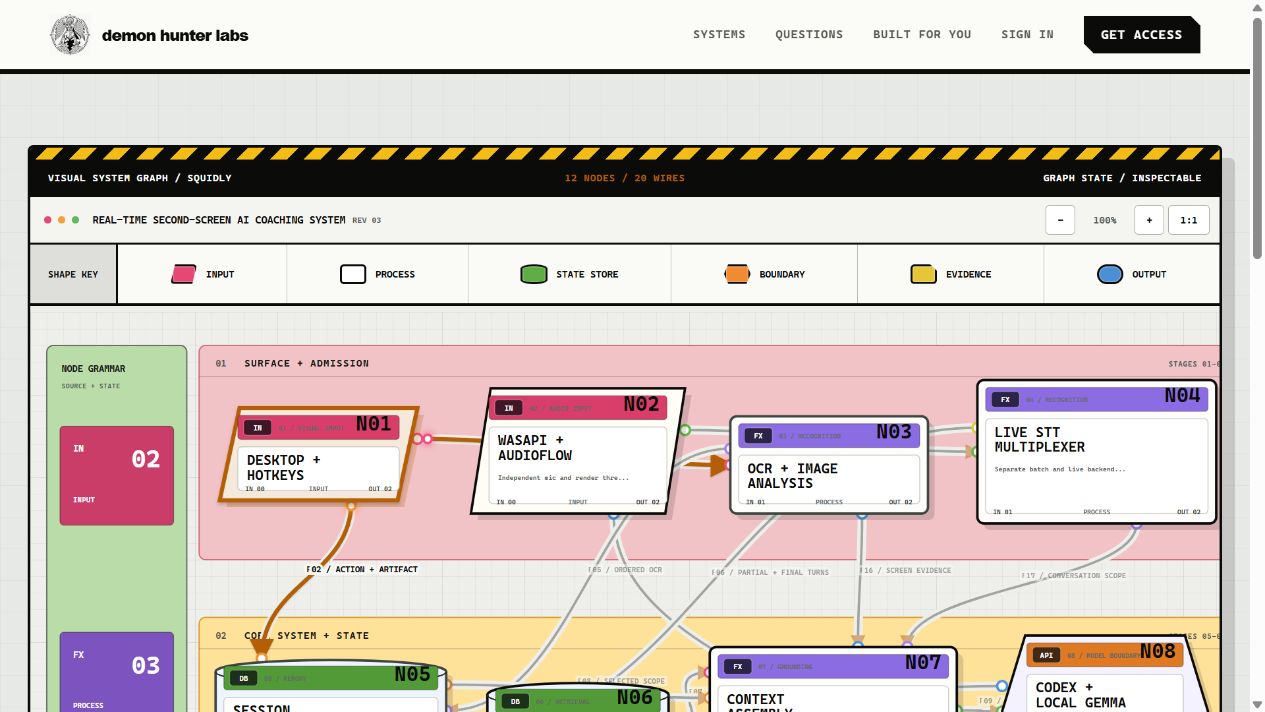 InteractiveSee inside the systemOpen the architecture map ↗
A glimpse inside
Six doors into the machine.
A local sensing and guidance loop
Squidly coordinates native capture, recognition, contextual memory, AI backends, a token-gated local server, and a responsive browser Advisor while preserving the artifacts needed to inspect each session.
One Windows process coordinates the system
The C++20 application loads configuration, opens the session, registers tray and hotkey controls, initializes optional engines, serves the Advisor, and records changing health as one explicit lifecycle.
Three lanes keep different kinds of help separate
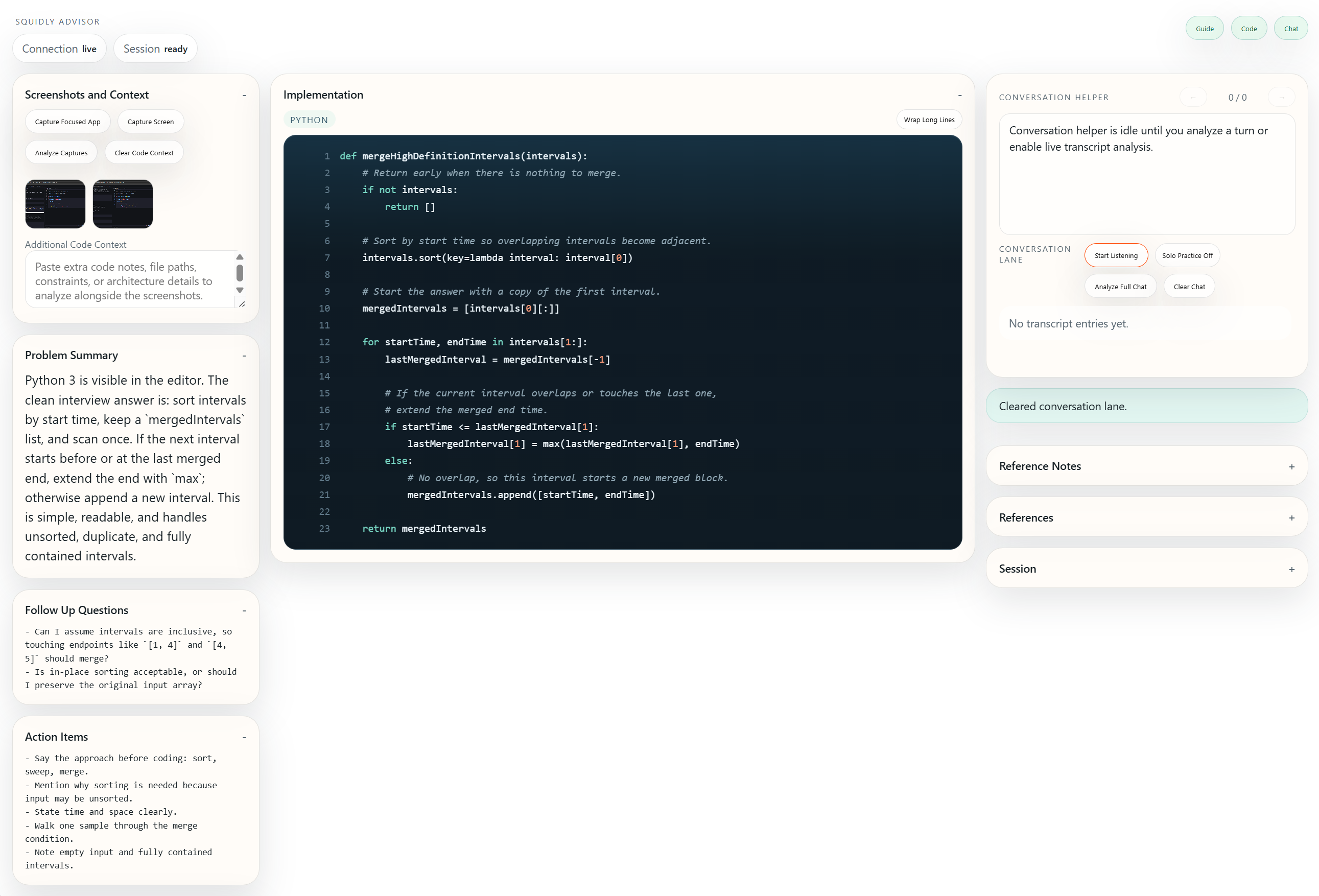
The responsive Advisor places grounded guidance on the left, screenshot and implementation work in the center, and live conversation on the right across phone, tablet, laptop, and dense second-screen layouts.
Desktop evidence enters through explicit capture actions
Windows desktop capture produces image artifacts that can be analyzed locally with Windows OCR and Local Gemma or sent through the configured Codex image route for deeper interpretation.
Microphone and rendered audio stay distinct
WASAPI capture, resampling, device selection, and optional AudioFlow or VB-CABLE endpoint mapping preserve user and other-speaker streams before they become transcript turns.
Manual and live speech routes are independently configurable
A transcription multiplexer supports manual or batch Whisper work and live backends including Nemotron, sherpa-onnx, faster-whisper, Nvidia Riva, and OpenAI Realtime without pretending every dependency ships in the executable.
The door is open