
















Private product showcase / Working Studio + engine
Dolphin
Build a world by voice. Walk inside it. Own every atom.
A whole-stack game and simulation engine that can evolve with the idea
Why this changes the game
Three reasons to care.
Shape a coastal world in a nine-view, dockable Studio.
Model with Envision. Grow mountains with Sandbox. Walk into the cabin.
One Yeho engine connects games, visual code, spatial tools, and Qube’s designer.
A room you can change
Let the light tell the story.
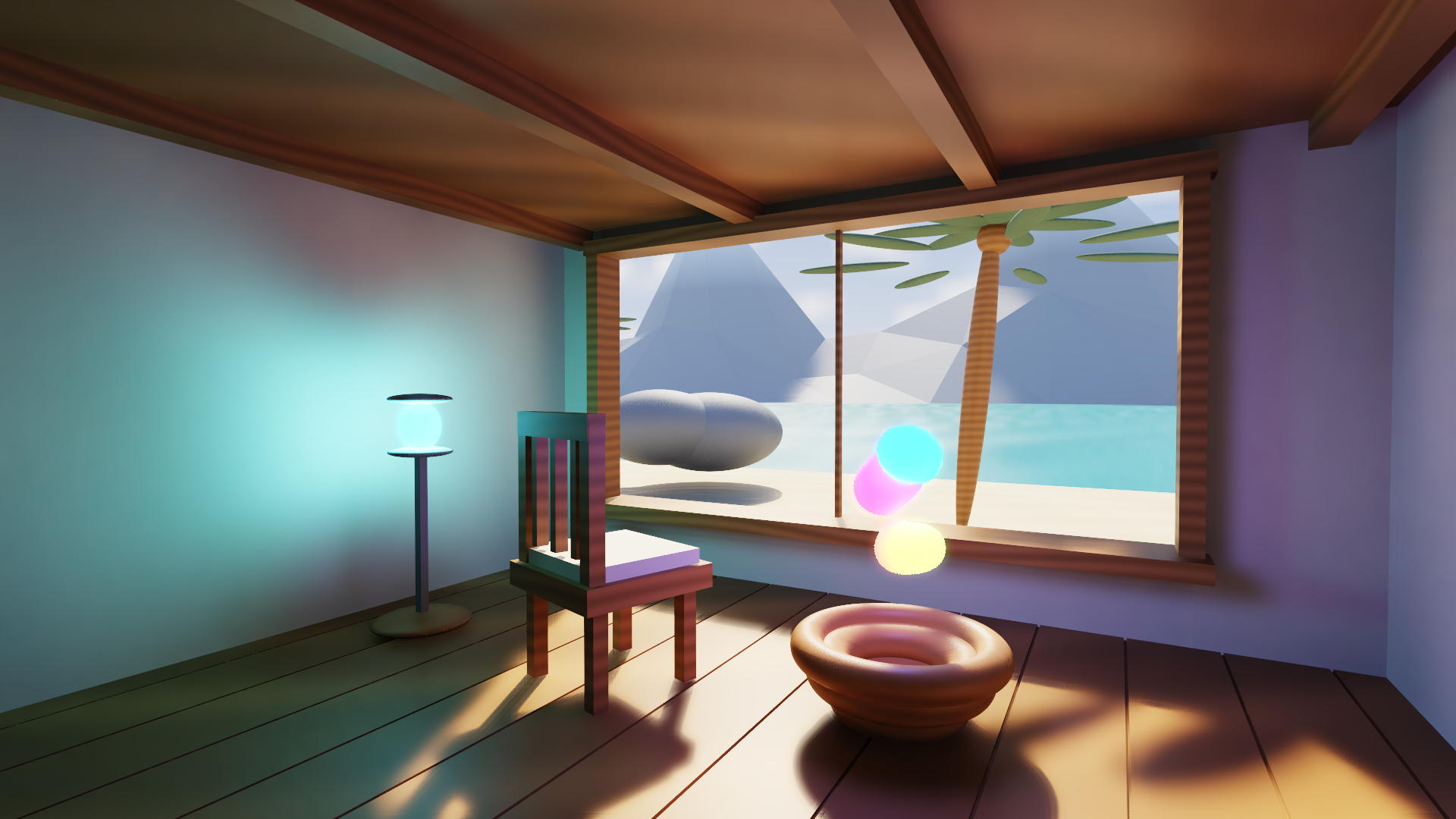
Move the sun. Change the exposure. Watch warm timber, cool daylight, reflections, and an emissive field share the same room.
The coastal cabin is an original Dolphin scene. Studio exposes its materials and lighting alongside the scene hierarchy and independent Scene and Game views.
Explore the shader lab ↗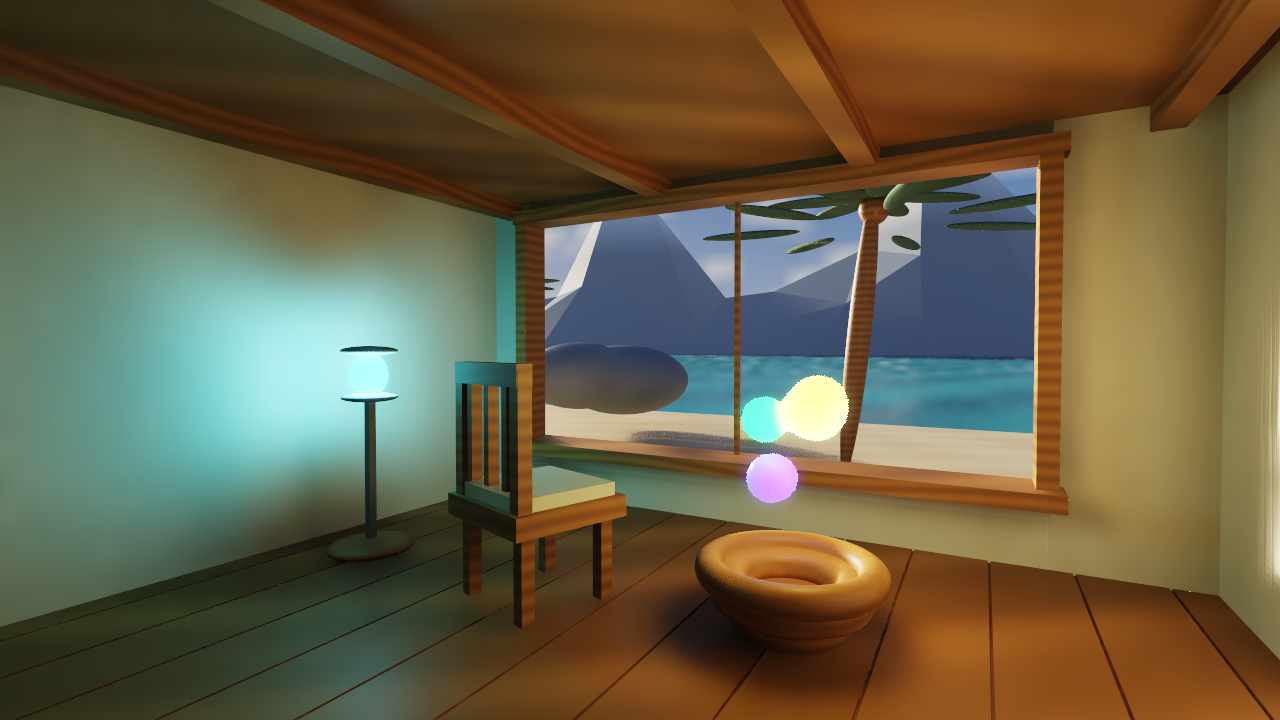 Open full size ↗
Envision / Inside Dolphin
Shape the mesh. Keep the idea moving.
Open Envision beside your scene, pop it into its own window, and dock it back. Extrude a face, subdivide, project UVs, add a simple rig, and set animation keys. Save your work or undo an experiment.
Ask Codex for edits, inspect its mesh preview, then apply them. Meshy generation, texturing, remesh and humanoid rigging are connected through account-key adapters; live Meshy generation still awaits account setup.
The earlier home-sketch editor now lives inside Dolphin too. Professional painting, arbitrary rigs and richer animation are the next tools to build.
Explore visual creation with Atlas ↗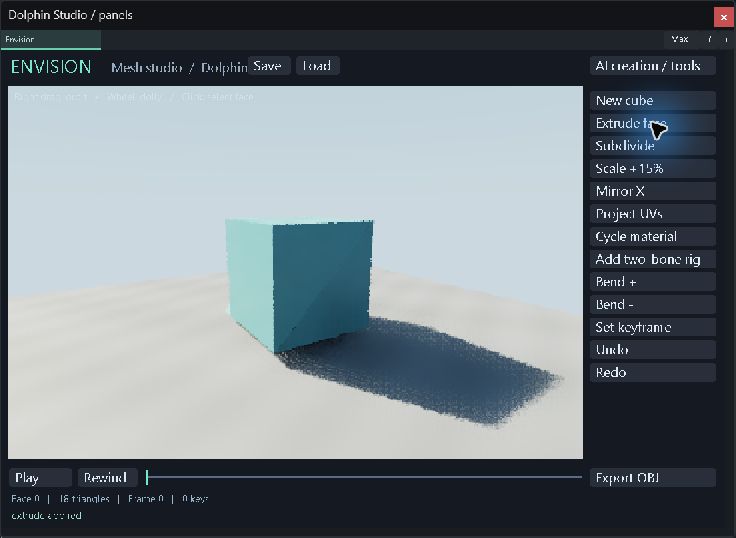 Open full size ↗
 Open full size ↗
Sandbox / Terrain and matter
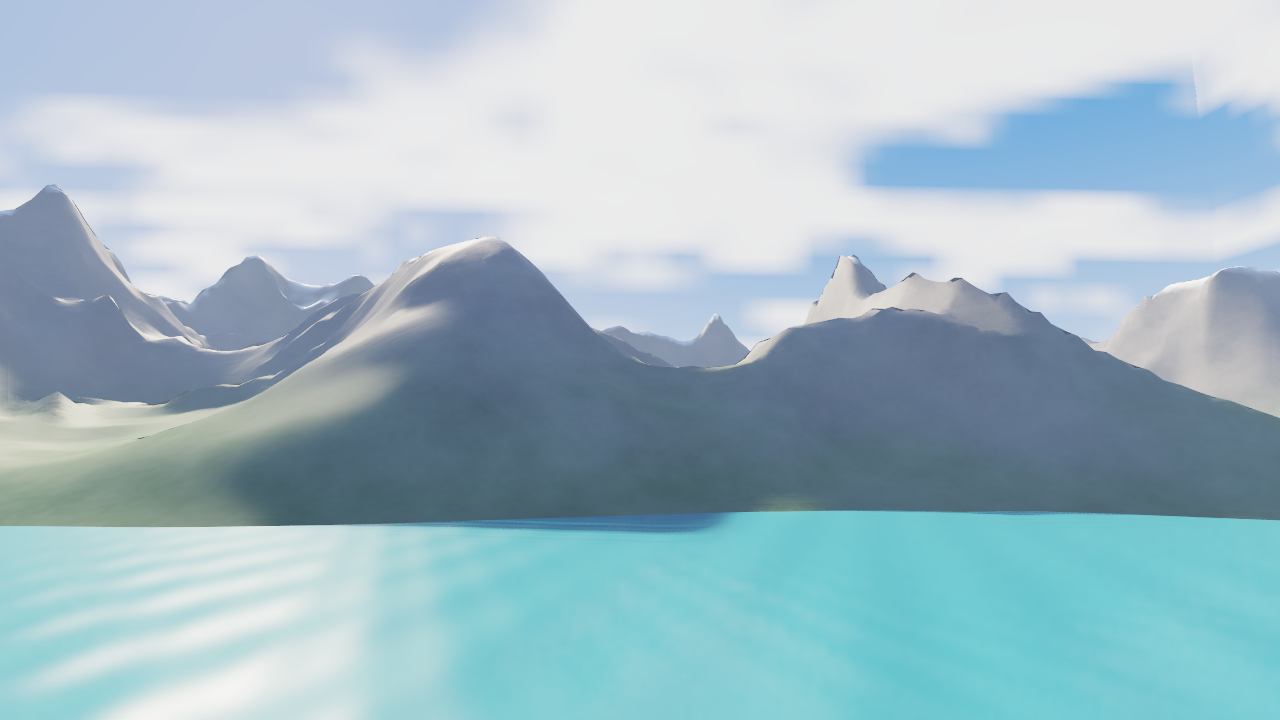
Natural surfaces. Matter within.
Connected ridgelines, smaller spurs and drainage-cut gullies shape the coast. Rock grain and snow follow the surface. Clouds drift on the scene’s Play clock.
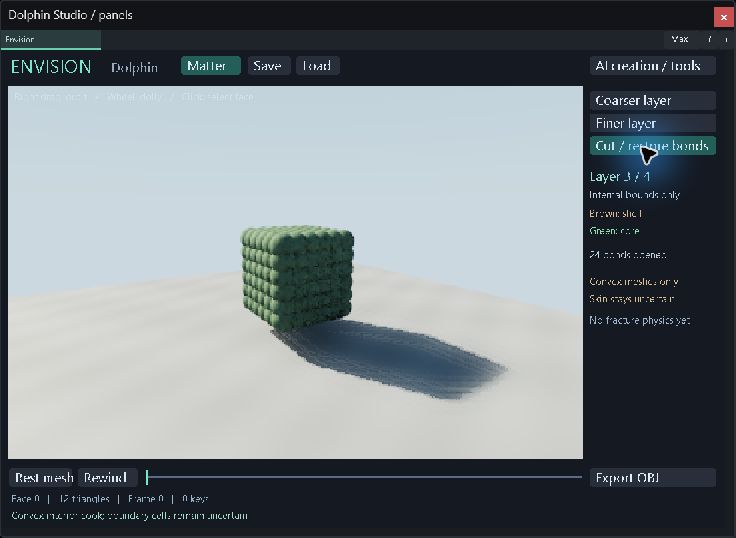
Bubbles describe internal material and connections at different scales. Envision’s Matter inspector now fills closed convex meshes, changes the inspection layer and cuts bonds. General mesh filling, moving fractures, exposed cut surfaces and world streaming are still being built.
This is the first terrain surface and matter inspection slice. Photoreal terrain, detailed ecosystems and large-world streaming remain the target.
Learn how Dolphin works ↗Bubbles / Inside Dolphin
Bubble Matter
Our matter is made from Procedural Physics Atom Bubbles
We’re building connected matter inside meshes: layers of ground beneath a mountain, muscles and veins inside a body. Each bubble carries its own physics properties and connections to other bubbles. Water, air, ground and rocket physics are all part of this direction.
Procedural layers can reach deeper whenever an interaction needs more detail, up to the precision and resource limits we allow. Fine detail wakes where it matters; the visible surface keeps its natural shape.
Try the first slice in Envision’s Matter inspector: explore four precision layers inside a closed convex mesh and open bonds across a cut plane. General tissue, fluid and propulsion simulation remain ahead, along with moving fragments and exposed cut surfaces.
 Open full size ↗
Proof today
The current machine, without mythology.
Envision is now Dolphin’s ninth native view: face extrusion, subdivision, UV projection, a two-bone rig, keyframes, save/load and undo. A live local Codex request produced a validated preview; Meshy adapters await a configured account key. Sandbox generates ridged coastal terrain and separately inspects convex-mesh interiors with layered material bounds and cuttable bonds. Windows CPU-reference model, file and native docking checks pass. Earlier Mac Metal evidence remains separate. Full professional tooling, sparse terrain streaming and world-space UI composition remain in development.
Made with Yeho + Dolphin
Start with something you can play.
 Open full size ↗
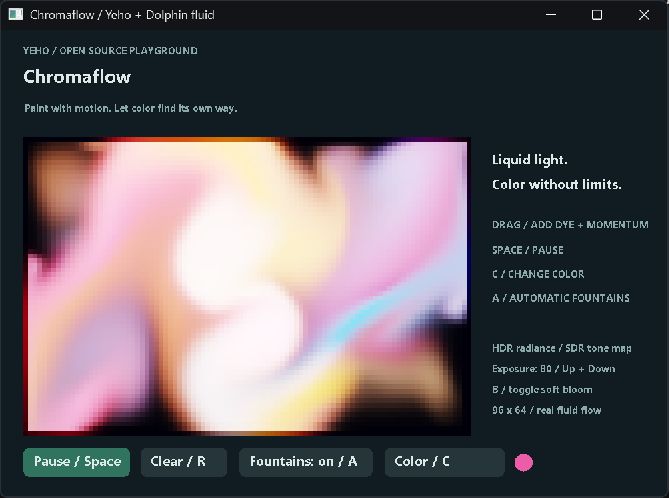
Chromaflow
Paint with moving color. A commented fluid example with radiance above white, bloom, and exposure controls.
Run it. Read the source. ↗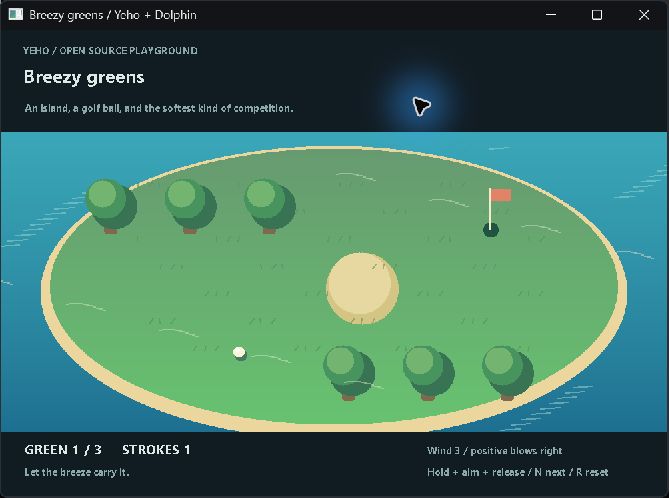 Open full size ↗
Breezy greens
A small golf game with procedural scenery and visible wind. Change the course, tune a shot, and play.
Run it. Read the source. ↗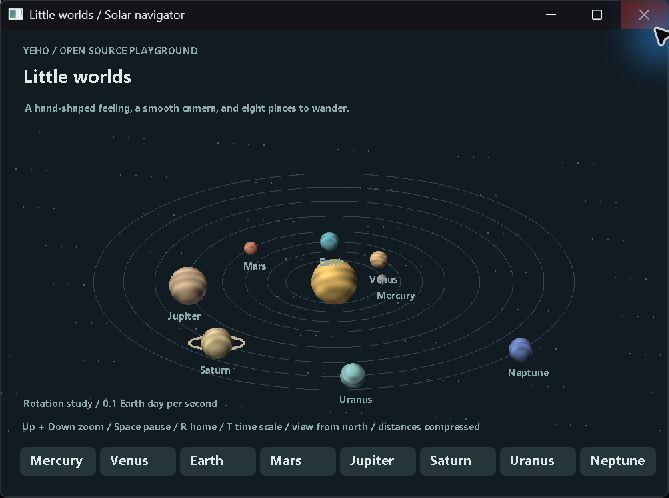 Open full size ↗
Little worlds
Navigate eight clay-like planets with smooth camera motion and correctly directed orbital and axial rotation.
Run it. Read the source. ↗Actual native Windows screenshots. These are small CPU reference examples with free executables and MIT-licensed example source. Chromaflow tone maps its HDR radiance into an SDR window.
Most engines make the dream negotiate with someone else’s rules. Dolphin lets us change the renderer, world model, physics, networking, tools, and game together.
One engine can power games, VR creation, architectural sketching, flight, and future Bubble World matter, so every upstream breakthrough compounds across the stack.
 Open full size ↗
The game behind the engine
Build it. Enter it. Play it.
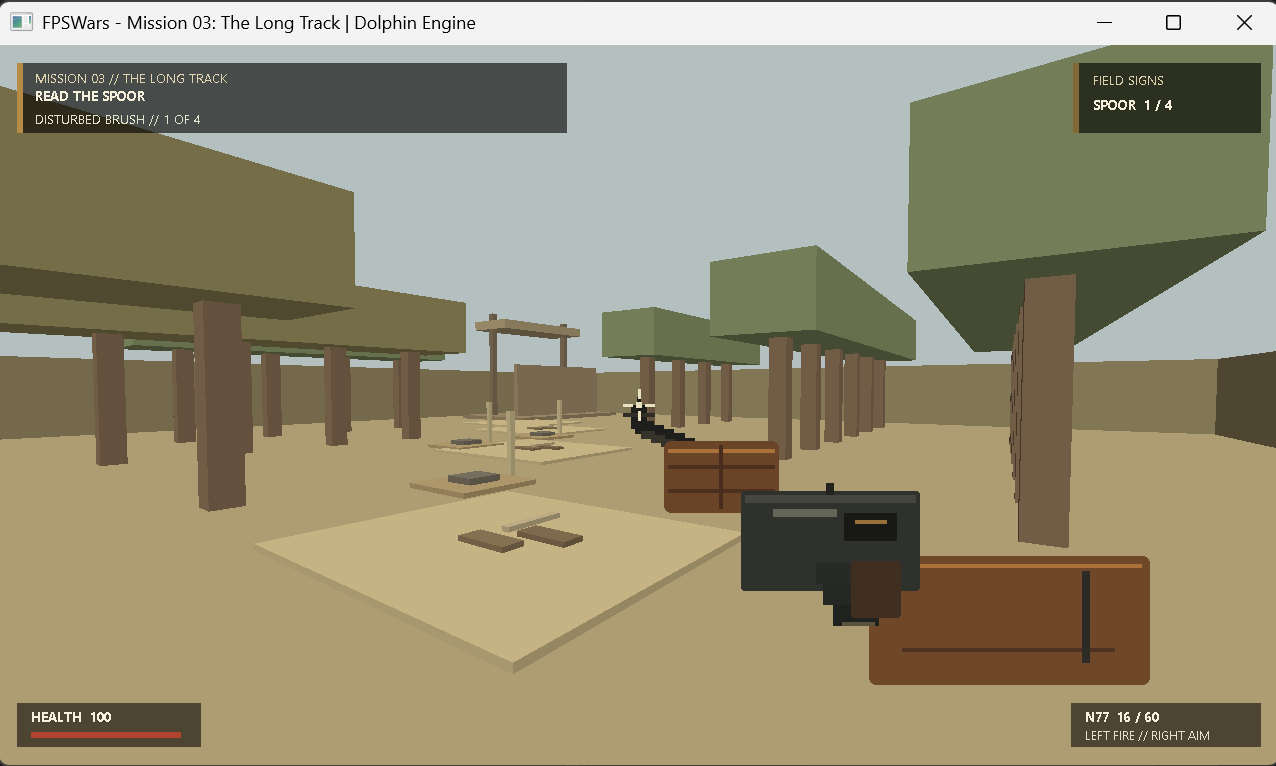
FPSWars puts Dolphin's world, input, mission state, and presentation together in a playable first-person game.
The twelve-mission campaign remains a separate reference path. The current ordinary Windows launch opens World Sandbox; this earlier mission image shows the campaign's visual state.
Read the Dolphin field lesson ↗The connected stack
Nothing powerful lives alone.
Public Academy
Learn Dolphin from the inside.
Every public guide, field lesson, and architecture map for this system is gathered here. No membership is required to study these rooms.
Dolphin: a guide to the game and simulation engine
Explore Dolphin's game engine, native Studio, Envision modeling, terrain tools, and simulation architecture. See real imagery and plan a small source evaluation.
Open in the Academy ↗02 / Code guidePlay and build with Dolphin
Explore a colorful fluid simulator, breezy island golf, and a clay-like solar system with complete Yeho source.
Open in the Academy ↗03 / Code guideCreate a galaxy ball in a room
Use Yeho compute with Dolphin math and projection to shade a ball, then make Space jump.
Open in the Academy ↗04 / Code guideStart with a native window
Open a window, draw each frame, process input, and close cleanly.
Open in the Academy ↗05 / Code guideExplore Dolphin's libraries
Commented examples for math, spatial geometry, projection, materials, and authoring.
Open in the Academy ↗06 / Code guideExplore visual authoring in Atlas
Move between Yeho logic, YUI layouts, and Dolphin surface materials.
Open in the Academy ↗07 / Code guideTrain a mouse-aware flying dot
Follow the math from one neuron to GPU training and visible motion.
Open in the Academy ↗08 / Field lessonSource-code licensing for companies and government teams
A practical guide to evaluating Demon Hunter Labs source memberships: commercial and public-sector rights, team seats, release scope, and the evidence to request before adoption.
Open in the Academy ↗09 / Field lessonDolphin: Own the Engine, Change the World
Explore Dolphin’s dockable Studio, coastal lighting, grounded play, and shared engine, with voice, VR, and Bubble World as the next research horizon.
Open in the Academy ↗10 / Architecture mapDolphin interactive architecture
Select stations, trace routes, and see which layer owns each important Dolphin decision.
Open in the Academy ↗Open the machinery
Follow the whole system.
See the route first. Then open the architecture or complete manual when you want every chamber, boundary, and proof.
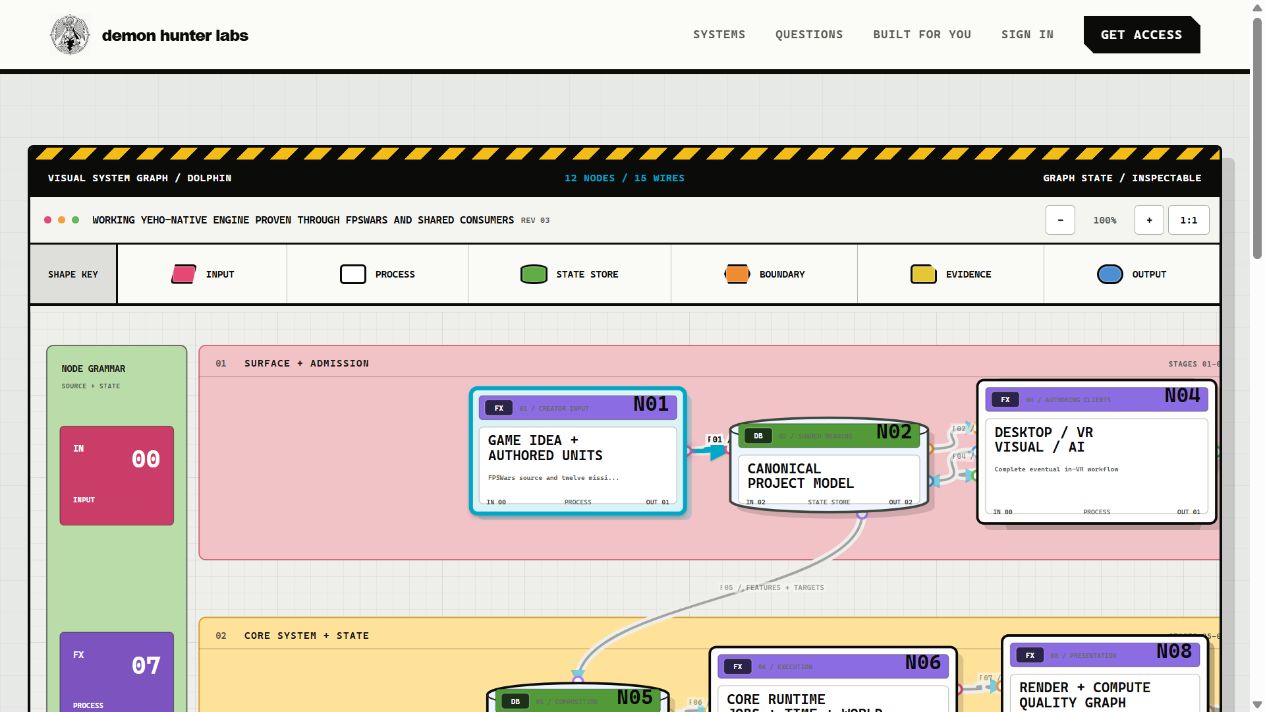 InteractiveSee inside the systemOpen the architecture map ↗
A glimpse inside
Six doors into the machine.
A living engine proven through real consumers
Dolphin now connects a native Studio, a Windows world sandbox, retained FPSWars missions, and consumers including Envision, Wingsuit, Yeho Atlas, and Qube’s visual designer.
Language, engine, and artifact can be designed together
Yeho gives Dolphin an owned language, compiler, runtime, package, UI, and native-output route so engine data, scheduling, cooking, diagnostics, and lowering can share visible contracts.
One canonical project, many removable systems
A typed, versioned project model joins scenes, resources, behavior, assets, build profiles, platform capabilities, history, validation, and performance budgets without becoming one giant private editor document.
Every tool speaks the same command language
The current Studio provides Scene Interior, Scene Overview, Game, Hierarchy, Inspector, Project Files, Pipeline, Profiler, and Envision panels. The wider direction brings desktop, visual, VR, and AI clients through shared typed authoring commands.
Text and visual programs share typed meaning
Visual behavior is not a second scripting universe. Graph nodes, ports, effects, state, and generated or authored Yeho must resolve through compatible types and diagnostics.
The shipped game carries only the game
The runtime separates memory, jobs, time, world state, simulation, rendering, physics, audio, and platform services from authoring clients and optional development machinery.
The door is open