



Private product showcase / Working prototype
Paradox
Every kind of idea, alive on one infinite canvas.
One large canvas for every kind of idea
Why this changes the game
Three reasons to care.
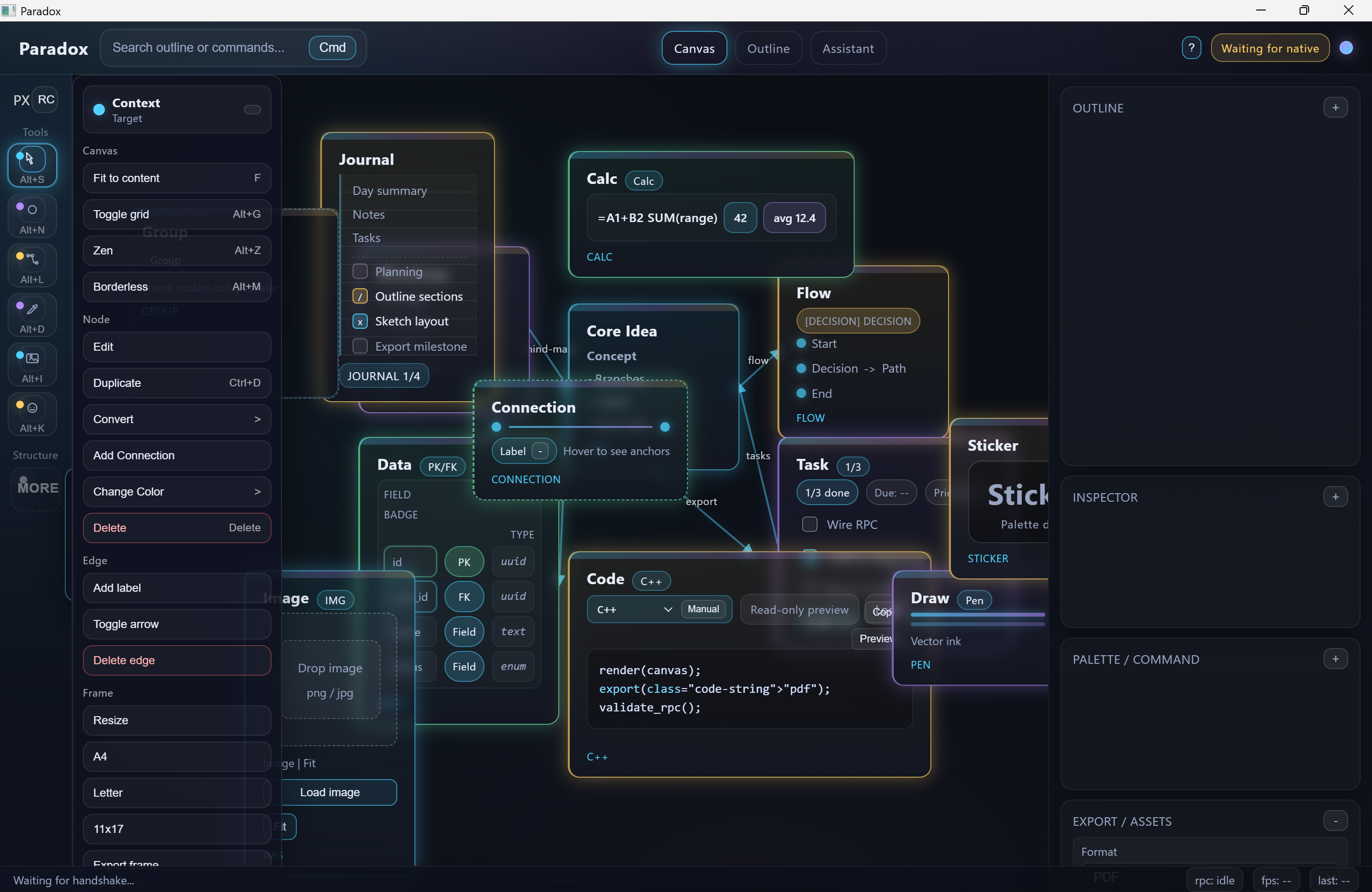
Put notes, code, data, drawings, tasks, and diagrams on one canvas.
Trace every change through a deterministic local journal.
Turn a canvas into frames, posters, briefs, mindmaps, and export-ready views.
Proof today
The current machine, without mythology.
The native Windows prototype includes a local-only WebView shell, blocked remote navigation, versioned whitelist RPC, mixed canvas objects, deterministic append-only undo/redo, and export/sidekick shapes. Current exports and AI assistance are honest mock manifests, not finished production output.
Ideas lose their shape when notes, code, pictures, decisions, tasks, and data are forced into different apps and disconnected documents.
One local-first surface keeps the work and its relationships visible, gives every edit a replayable history, and lets the same canvas become several useful outputs.
The connected stack
Nothing powerful lives alone.
Public Academy
Learn Paradox from the inside.
Every public guide, field lesson, and architecture map for this system is gathered here. No membership is required to study these rooms.
Paradox: a local infinite canvas for connected ideas
Explore Paradox's infinite canvas, mixed notes and code, local journal, and undo model. Learn how to evaluate a connected workspace without confusing prototypes with finished exports.
Open in the Academy ↗02 / Architecture mapParadox interactive architecture
Select stations, trace routes, and see which layer owns each important Paradox decision.
Open in the Academy ↗Open the machinery
Follow the whole system.
See the route first. Then open the architecture or complete manual when you want every chamber, boundary, and proof.
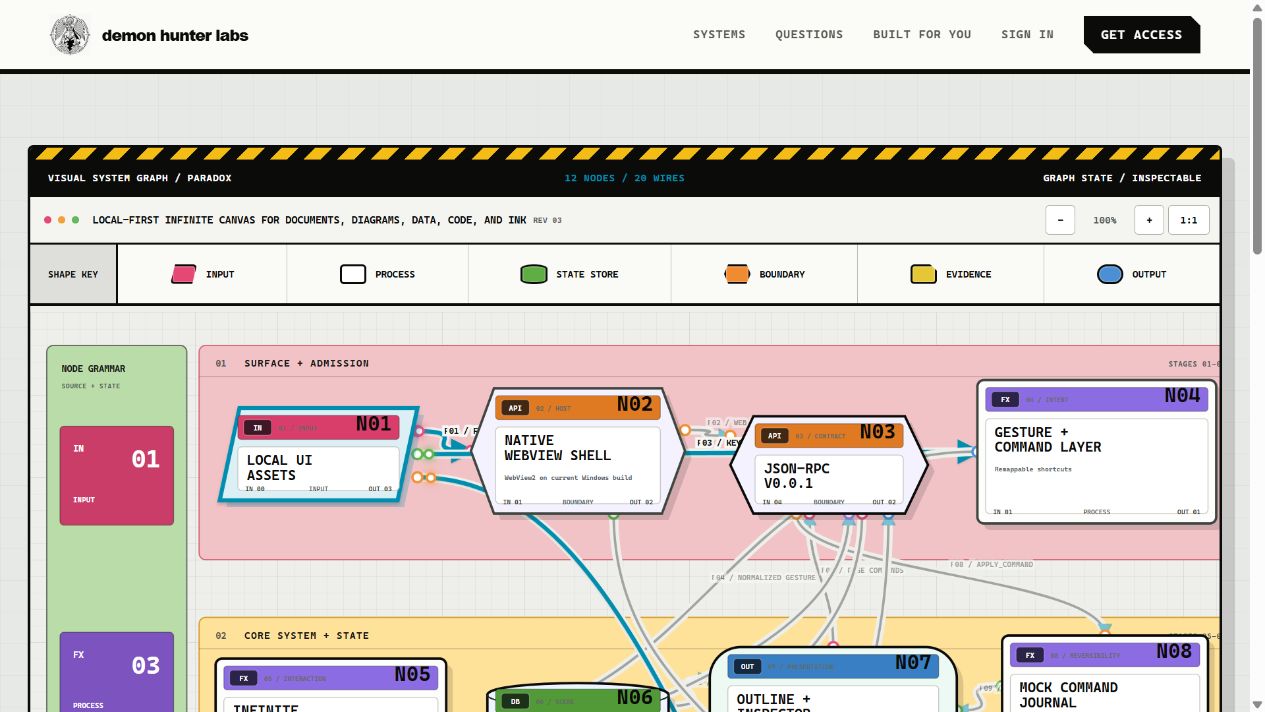 InteractiveSee inside the systemOpen the architecture map ↗
A glimpse inside
Six doors into the machine.
A local interface around an explicit native boundary
Paradox currently combines a native platform host, local HTML/CSS/JavaScript canvas, versioned RPC envelopes, in-memory mock state, and bounded artifact writers while keeping the larger storage and renderer vision separate.
The Windows shell owns process and webview lifecycle
A C++23 Win32 executable establishes DPI awareness, creates the native window, locates local UI files, initializes WebView2, resizes the controller, and blocks navigation away from local files.
Versioned messages gate every native action
A v0.0.1 handshake precedes regular traffic, after which RPC requests, results, errors, and native-pushed events use stable envelopes and echoed request identities.
One dense canvas hosts many kinds of thought
The local UI implements pan, cursor-centered zoom, marquee selection, snapping, minimap navigation, contextual controls, inspector editing, and multiple chrome modes around an in-memory scene.
Documents and diagrams share one node vocabulary
The prototype renders text, journal, idea, flow, task, data, code, calculation, image, draw, sticker, group, frame, and connection behaviors through shared position, size, style, selection, and inspector mechanics.
Mouse, pen, touch, and keyboard share the work surface
The web UI normalizes selection, pan, drawing, wheel, pressure, tilt, erasing, drag, resize, connector, and keyboard actions before emitting higher-level commands toward the native boundary.
The door is open