














Multi-account mail, calendar & contactsPublic field guide
Falcon: a local desktop for multiple Google accounts
Falcon explores one Windows desktop for several Google identities, bringing mail, calendar, and contacts into a shared view. Its local service separates each account's state and sync checkpoints. The goal is less switching between places while preserving a clear answer to which identity is being used.
Start with a practical evaluation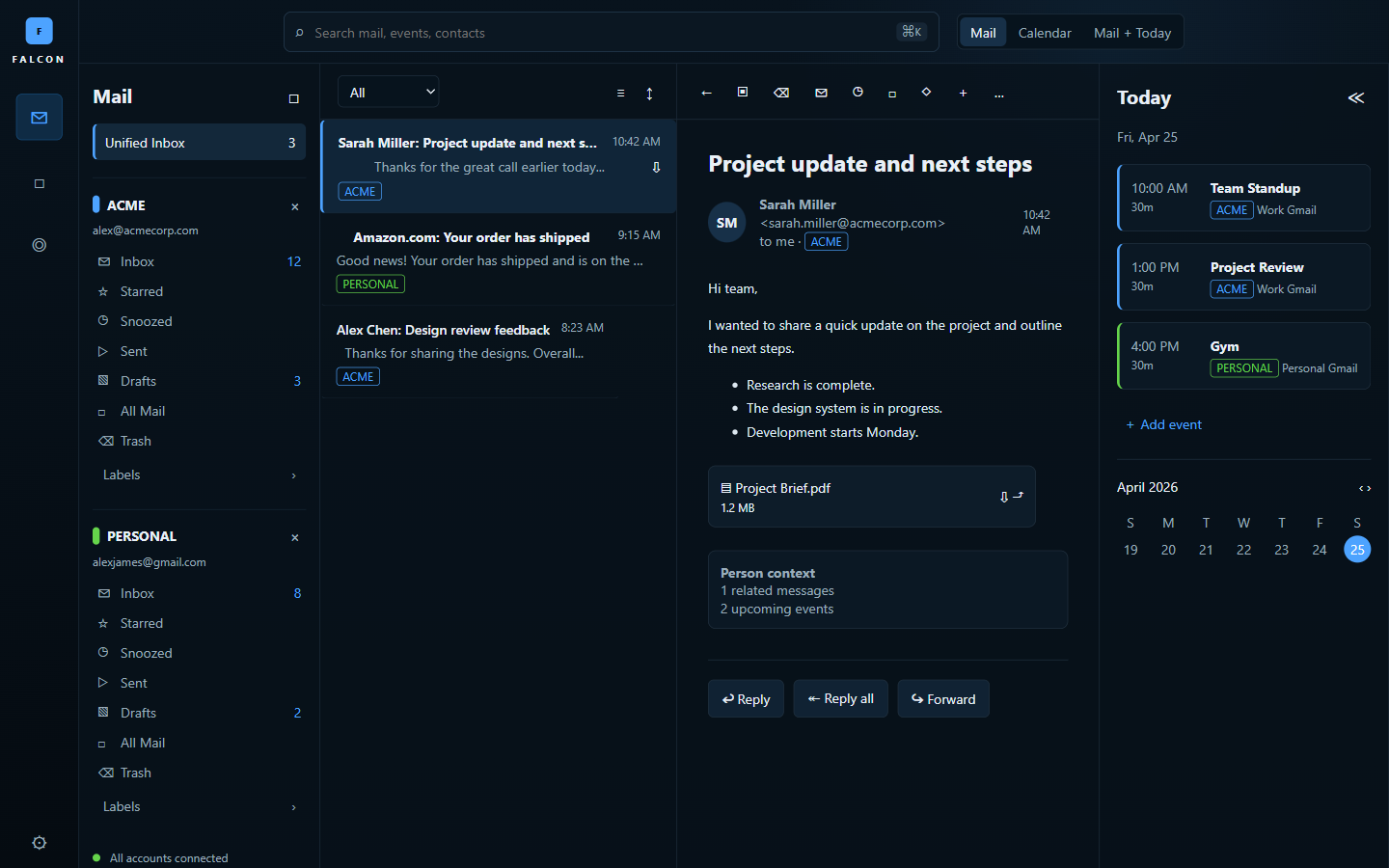
The useful starting point
What Falcon gives your team
A combined view can reduce navigation work while source-level account boundaries make identity, cached state, and queued actions available for inspection.
People managing several accounts, internal-tool teams, and developers studying local-first productivity software.
- 01
Select an identity
Keep the active account visible in the working context.
- 02
Read local state
Use the account's own cached messages, events, and contacts.
- 03
Reconcile an action
Follow queued work and sync checkpoints through the provider boundary.
A unified inbox must not blur identities
Seeing several inboxes together is helpful only if the user knows which account owns each message and action. A reply, calendar change, or contact update must preserve that identity even when the interface combines information into a daily view.
Falcon's architecture places SQLite state, provider adapters, sync checkpoints, and account isolation in a native service. The WebView2 desktop is a presentation layer. This separation gives a developer a useful place to inspect ownership before trusting a combined interface.
Cached information needs a visible relationship to the provider
Local storage can keep previously synchronized information available, but it also creates questions about freshness and pending work. A queued action should not look identical to a confirmed provider change. Recovery and account switching belong in the same evaluation as the everyday screen.
The existing tests use recorded fixtures and explicit live gates. Live Google OAuth and real-account end-to-end verification remain the promotion boundary. A polished inbox screenshot therefore does not establish a qualified deployment against an organization's actual accounts.
Current public evidence
Pre-release candidate
The scaffold includes unified inbox, Today, calendar, contacts, email-to-calendar flow, queued actions, offline cache/fallback, local SQLite, provider boundaries, and account-isolation tests. Live Google OAuth and real-account end-to-end proof remain the promotion gate.
Explore the project and its evidenceTry one bounded question
Follow one action under two identities
A suggested evaluation for your team.
- Begin with the supplied credential-free fixtures and two distinct account identities.
- Switch between their mail, calendar, and contact views and inspect ownership.
- Queue an action, simulate an unavailable provider, and inspect its state.
- Resume the fixture and confirm which account receives the change.
- Use dedicated test accounts for the separately documented live OAuth and provider trial.
A visible and correct relationship between the chosen identity, local state, queued action, and provider result. Treat a fixture pass and a real-account pass as separate evidence.
Before you go further
Common questions about Falcon
Has Falcon completed live Google account verification?
The current public status is a pre-release candidate. Live Google OAuth and real-account end-to-end checks remain the promotion gate; recorded fixtures do not substitute for them.
Does local-first mean messages never involve a cloud provider?
No. Local-first describes the application's state and working model. Google synchronization still involves the configured provider, and the exact data path needs review.
Can a unified interface keep accounts separate?
That is a central design and test requirement. Evaluate identity selection, cache ownership, action routing, reconnect behavior, and failures instead of relying on visual account labels alone.
From an idea to your first evaluation
Build on what you understand.
Start with Falcon's public evidence. If it fits your team's problem, compare source memberships or tell us what you would like to evaluate.
These guides are free to read. Private source releases follow the membership license. Compare plans and team seats.