

















Chords, tunings & musical discoveryPublic field guide
Magic Chords: alternate tunings and chord progressions
Magic Chords is a playable space for exploring chords, alternate tunings, and progressions. Instead of treating a chord chart as the final answer, it lets a player change the tuning, compare voicings, and hear a sequence. It is useful both as a musical idea tool and as source material for a team building music education software.
Start with a practical evaluation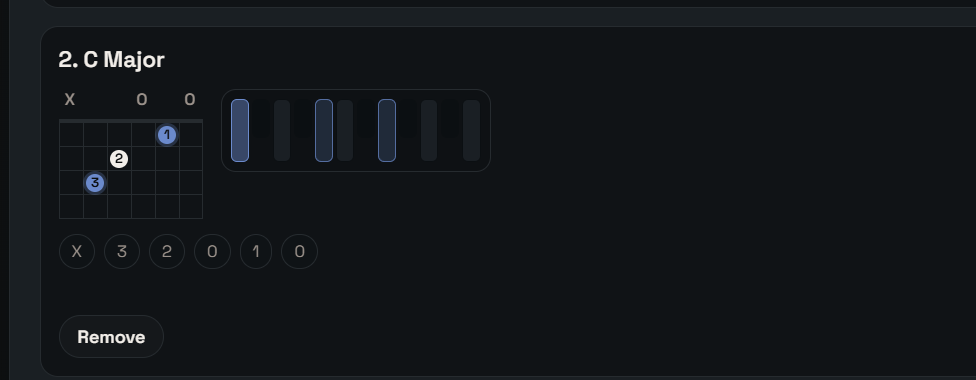
The useful starting point
What Magic Chords gives your team
A player can move between the shape of a chord, the tuning beneath it, and the sound of a progression without losing the original idea.
Guitar and ukulele players, music educators, instrument designers, and developers of interactive music tools.
- 01
Choose a tuning
Set the instrument and the open-string pitches.
- 02
Explore a voicing
Compare the notes and playable shapes for a chord.
- 03
Hear a progression
Arrange, loop, and revise a sequence of chords.
A tuning changes the instrument's possibilities
Changing open-string pitches changes where notes fall and which chord shapes are practical. A useful chord finder needs to carry those tuning choices into its voicings. Magic Chords includes instrument and tuning libraries alongside custom choices, so the relationship can be explored directly.
The diagrams are a starting point for playing. Hand size, string tension, instrument range, and personal technique still matter. Compare a proposed fingering with an actual instrument rather than assuming every generated shape is comfortable.
Hear relationships instead of collecting isolated shapes
A chord often makes sense because of the chord before or after it. Progression playback, reordering, looping, and different voicings help a musician hear that context. Save a promising sequence so the experiment is recoverable.
For a software team, this is also a useful study in interactive audio: browser sound starts with a user gesture, instruments and fallback playback may differ, and the visual state needs to match what is heard. Evaluate the actual browser and audio setup used by your audience.
Current public evidence
Working concept surface
The browser app implements custom tunings, left-handed mirroring, guitar and ukulele libraries, chord finding across 12 roots, generated voicings, soundfont playback with fallback, progression save/replay/loop/reorder, and an adjustable tuner whose reference defaults to 432 Hz.
Explore the project and its evidenceTry one bounded question
Take one progression through two tunings
A suggested evaluation for your team.
- Choose an instrument and a familiar three-chord progression.
- Play it in the default tuning and identify the notes in one voicing.
- Change one open-string pitch, then compare the generated shapes.
- Reorder and loop the progression, checking that the visible sequence matches playback.
- Save and restore it, then try the same interaction in the intended browser.
A progression that remains musically understandable through tuning changes, playback, and recovery. Record awkward fingerings or mismatched notes as useful findings.
Before you go further
Common questions about Magic Chords
Can Magic Chords use alternate tunings?
The current browser implementation includes custom tunings and generated voicings. Check the chosen instrument, tuning range, and generated notes as part of your musical evaluation.
Can left-handed players use the diagrams?
The application includes a left-handed mirrored view. Verify that string order, note labels, and the physical fingering make sense for the player using it.
How is this different from Wave?
Magic Chords focuses on quick chord and tuning exploration. Wave is the broader editable-song studio. Moving an idea between them should be evaluated as its own workflow rather than assumed to be an automatic integration.
From an idea to your first evaluation
Build on what you understand.
Start with Magic Chords's public evidence. If it fits your team's problem, compare source memberships or tell us what you would like to evaluate.
These guides are free to read. Private source releases follow the membership license. Compare plans and team seats.