

















Windows audio devices & routingPublic field guide
AudioFlow: Windows audio routing and device control
AudioFlow puts everyday Windows audio controls into one tray utility. Inputs, outputs, defaults, mute, volume, and meters become easier to inspect together. For recording, calls, or downstream audio tools, its separate microphone and system feeds provide a concrete routing workflow to evaluate.
Start with a practical evaluation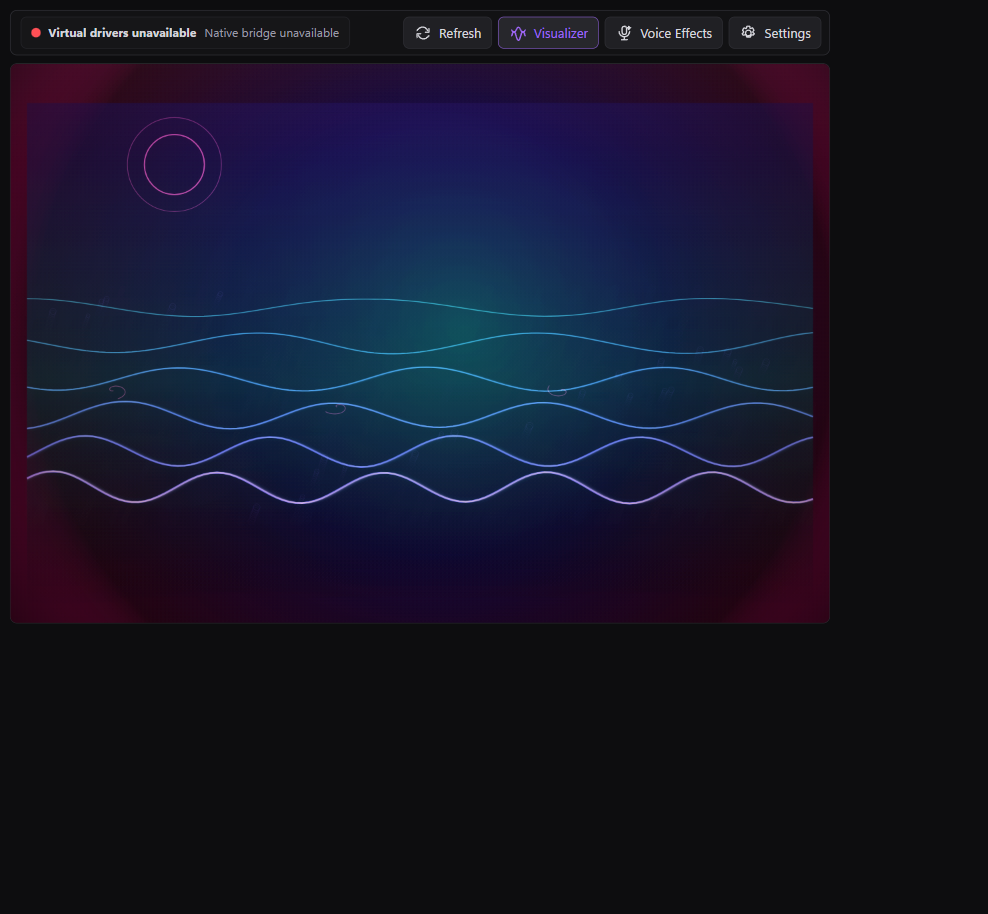
The useful starting point
What AudioFlow gives your team
A team can see which endpoint is active and follow an audio feed to its destination, reducing the uncertainty caused by scattered device settings.
Creators, support and AV teams, and developers connecting recording, transcription, or audio visualization tools.
- 01
Choose an endpoint
Identify the real input or output device and its role.
- 02
Set the route
Use the documented routing path for system sound or microphone.
- 03
Observe the feed
Listen and compare meter activity at the intended destination.
An audio device and an audio route are different things
An endpoint is where audio enters or leaves the system. A route describes how a particular feed reaches a consumer. Changing a default device can affect an application differently from selecting an explicit input inside that application, so both sides of the path need inspection.
AudioFlow's native Windows work includes real Core Audio endpoint enumeration, volume, mute, default-role state, and input meters. A moving meter is evidence of activity at that point, not proof that the final application is receiving the intended sound.
Keep microphone and system sound distinguishable
Separating these feeds helps when a recorder or transcription system needs to know what came from the microphone and what came from the computer. The retained user-mode routing proof uses signed VB-Audio cables without Windows test mode.
The branded virtual driver, finished sidetone, and voice effects are separate development gates. Check dependencies, destination settings, feedback loops, and device changes in your actual setup before describing the full workflow as ready.
Current public evidence
Working Windows audio tool
The native app enumerates real Core Audio endpoints, changes volume, mute, and default roles, reads input meters, and proves user-mode system/mic routing through signed VB-Audio cables without Windows test mode. Branded drivers, finished sidetone, and voice effects remain later gates.
Explore the project and its evidenceTry one bounded question
Trace two clearly different sounds
A suggested evaluation for your team.
- Select the documented input and output devices and record their default roles.
- Use a short synthetic system sound and a clearly different microphone test phrase.
- Route the feeds through the documented path to a test recording application.
- Confirm each feed is distinguishable, then check mute and volume behavior.
- Disconnect and reconnect a test device and inspect the visible recovery state.
A documented endpoint-to-destination path with the expected sound and an understandable failure when a device disappears. Measure latency separately if it matters to the workflow.
Before you go further
Common questions about AudioFlow
Does AudioFlow already include its own finished audio driver?
No. The documented routing proof uses signed VB-Audio cables. A finished branded driver and broader audio features remain separate work.
Can AudioFlow support AI transcription workflows?
Its audio feeds can be evaluated as inputs to downstream tools. Transcription quality, provider behavior, privacy requirements, and end-to-end latency belong to the complete integration test.
Does a live meter prove the recording is correct?
It proves activity at the meter's observation point. Listen to the recorded output and verify channels and destinations to establish the whole path.
From an idea to your first evaluation
Build on what you understand.
Start with AudioFlow's public evidence. If it fits your team's problem, compare source memberships or tell us what you would like to evaluate.
These guides are free to read. Private source releases follow the membership license. Compare plans and team seats.